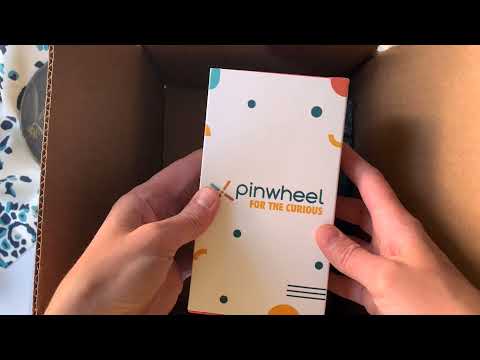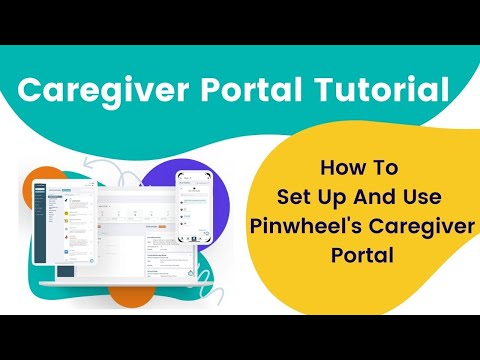
Pinwheel is an Android-based smartphone for kids and teens (ages 8-18) with parental controls built into the operating system itself. Pinwheel ships pre-configured with no social media, no internet browser, no app store, and no addictive feeds. Parents use the Caregiver Portal to approve specific apps from a curated list of 1,200+ kid-safe options. The phone supports calls, texts, voice memos, photos, music, audiobooks, and parent-approved apps. Pinwheel is fully unlocked and works on any GSM carrier or US Mobile, with the first month free.
Curated app library with no TikTok, Snapchat, Instagram, or open Chrome — every app reviewed by Pinwheel’s child-development team.
Web + iOS/Android parent dashboard for app approvals, contact management, screen time rules, and Modes without reading your child’s texts.
Schedule different rule sets for school, homework, dinner, and bedtime — apps and contacts adjust automatically by time of day.
Hardware-level enforcement: kids cannot install TikTok, Snapchat, or browse the open web — no jailbreak workarounds.
Parent-approved contacts only. Set who can call, who can text, and who shows up in the child’s phonebook.
Phone lineup from a basic flip-style Slim to a Plus 3 with full Android features (minus social) up to Pixel-based premium models.
Family GPS location, safe driving alerts that block phone use while moving, and SOS button for emergencies.
Pinwheel does NOT read your child’s messages or surface their photos to parents — a deliberate trust-first design choice praised by therapists.
Pinwheel delivers safer-phone hardware plus parent controls without surveillance overreach.
Watch real Pinwheel videos covering device tours, parent setup, and Caregiver Portal walkthroughs.
Pinwheel is more than a kid-safe phone — it is a complete family communication and digital wellness platform. From the Caregiver Portal that powers parental controls to GPS tracking, contact approvals, and 1,200+ vetted apps, Pinwheel covers the full lifecycle of a child’s first phone. Below are the key services Pinwheel delivers.
Pinwheel pricing is split between device hardware (one-time) and the required Caregiver subscription (monthly or annual). Cellular service is brought separately from any carrier.
| Device / Plan | Price | Best For |
|---|---|---|
| Pinwheel Slim 3 | From $79 (hardware) | Younger kids, basic call/text only |
| Pinwheel Plus 3 | From $199 (hardware) | Tweens needing full Android-style features without social |
| Pinwheel Pixel options | $300–$400+ (hardware) | Teens needing premium hardware |
| Caregiver Subscription | $14.99 / month or $149 / year | Required for every Pinwheel device |
On Trustpilot and parent forums, Pinwheel reviews are broadly positive (we do not quote an aggregate score we have not verified), with consistent praise for the no-social-media stance and the privacy-respecting design vs. Bark / Gabb. Critiques typically focus on monthly subscription cost and the lack of an iOS hardware option.
Looking at alternatives to Pinwheel? The leading safer-phone options for kids and teens are:



Braun on LazMall Singapore is the official storefront for the iconic German engineered personal care brand, offering premium electric shavers, IPL hair removal, beard trimmers, hair clippers, female epilators, and household appliances backed by Lazada’s LazMall authenticity guarantee. In this Braun LazMall Singapore review by IdealOnlineBusiness.com, we evaluate bestseller categories like the Series 9 Pro shavers, Silk-Expert Pro IPL, MGK multi-grooming kits, official warranty in Singapore, LazMall 15-day return policy, voucher and Lazada Bonus discounts, fast local delivery, and verified buyer feedback collected from Lazada Singapore product pages.
Explore More
Bluetti is one of the leading US brands of portable power stations, solar generators, and home backup energy solutions, built around safer LiFePO4 battery chemistry and modular expansion. In this Bluetti US review by IdealOnlineBusiness.com, we evaluate flagship models including the AC180, AC200L, AC300, AC500 and the EP500Pro, paired solar panels like the PV200 and PV350, integrated UPS performance, app control, US warranty, customer support, financing, and verified buyer feedback from Trustpilot, Reddit and Amazon US.
Explore More
Bluetti IT e un marchio leader nelle stazioni di energia portatili e nei generatori solari in Italia, offrendo soluzioni complete di accumulo energetico con celle LiFePO4 sicure e di lunga durata. In this Bluetti Italy review by IdealOnlineBusiness.com, we explore the AC180, AC200P, AC500 and expansion battery ecosystem, integrated UPS, Italian-spec sockets, solar input compatibility, app monitoring, lead time and shipping inside Italy, pricing in Euros, warranty terms, and verified customer feedback from Trustpilot Italia.
Explore More
Bluetti ES es una marca lider en estaciones de energia portatiles y generadores solares en Espana, con tecnologia LiFePO4, multiples opciones de carga rapida y soluciones de respaldo electrico para hogares espanoles. In this Bluetti Spain review by IdealOnlineBusiness.com, we cover the most popular AC and EB-series portable power stations, solar panel kits, expansion batteries, UPS function, app control, Spanish-language customer support, peninsular shipping, EU pricing in Euros, and verified customer feedback from Trustpilot Spain.
Explore More
Bluetti DE ist eine führende Marke für tragbare Powerstations und Solargeneratoren in Deutschland mit innovativen LiFePO4-Technologien und umfangreichen Heim- und Outdoor-Energielösungen. In this Bluetti Germany review by IdealOnlineBusiness.com, we evaluate the AC180, AC200MAX, AC500 and the modular B300 power stations, solar panel compatibility, UPS modes, app control, German shipping and warranty terms, EU-specific outlets, pricing in Euro, and verified customer feedback from Trustpilot DE and German tech review communities.
Explore More







Pinwheel makes smartphones designed for kids and teens with no social media, no open internet, and full parental controls through the Caregiver Portal. This section answers the most common questions based on our review of Pinwheel pricing, official feature documentation, and feedback from parents on G2, Trustpilot, and the App Store. Whether you are comparing Pinwheel pricing, evaluating its parental controls, or deciding if it is the right phone for your child, these FAQs cover what matters most.
⚠️ Affiliate Disclosure: This site contains affiliate links. We may earn a commission when you purchase through our links at no extra cost to you. Results are not typical.