⚠️ Affiliate Disclosure: This page contains affiliate links. We may earn a commission at no extra cost to you. This does not influence our reviews. Read full disclosure →

Nix Sensor Review

icon01

Nix Sensor Review

4.3 (2,1103)

Nix Sensor Overview

The Nix Sensor has become a trusted color measurement device used by thousands of designers, photographers, and creative professionals worldwide. At IdealOnlineBusiness, we conducted in-depth testing across different surfaces, lighting conditions, and workflows to evaluate how accurately Nix Sensor captures and manages color data in real-world scenarios.

Nix Sensor is a modern color scanning tool designed to eliminate guesswork in color matching. Whether you’re working on branding, interior design, printing, or product development, it helps you capture real-world colors and convert them into precise digital values instantly.

In this review, we explore Nix Sensor pricing, features, accuracy levels, and performance compared to alternatives like Color Muse and Datacolor tools. Unlike traditional color matching methods, Nix Sensor uses advanced calibration and sensor technology to ensure consistent and reliable results across devices.

Nix Sensor Review: Features, Pros & Cons

Pros Cons
High Accuracy: Captures precise color readings from real-world surfaces with minimal deviation. Premium Pricing: Higher cost compared to entry-level color tools.
Portable Design: Compact and easy to carry for on-site measurements. Learning Curve: Beginners may need time to understand calibration and workflows.
Seamless Integrations: Works with design tools like Adobe software and color libraries. Advanced Features Locked: Some features are only available in Pro versions.
Smart Calibration: Built-in tools ensure consistent and reliable color accuracy. Device Dependency: Requires app/device pairing for full functionality.
Fast Data Export: Easily share color data across teams and projects. Limited Offline Functionality: Best performance requires app connectivity.
Multi-Format Support: Supports HEX, RGB, CMYK, and more. Niche Use Case: Primarily useful for professionals, less for casual users.

Nix Sensor vs Color Muse: Which Color Scanner is More Accurate?

Choosing between the Nix Sensor and Color Muse often comes down to the level of precision required for your specific industry. While both are market leaders in 2026, their hardware and geometry offer slightly different results in color accuracy (Delta E).

  • Accuracy & Geometry: The Nix Spectro 2 is widely considered the precision leader, offering a spectral 31-channel sensor that provides a 99% match rate with a $\Delta E$ of 0.5–1.05. In comparison, the Color Muse series (like the Color Muse 2) offers an inter-instrument agreement of $< 0.3 \Delta E$, making it highly repeatable but slightly more geared towards consumer paint matching than high-end spectral analysis.
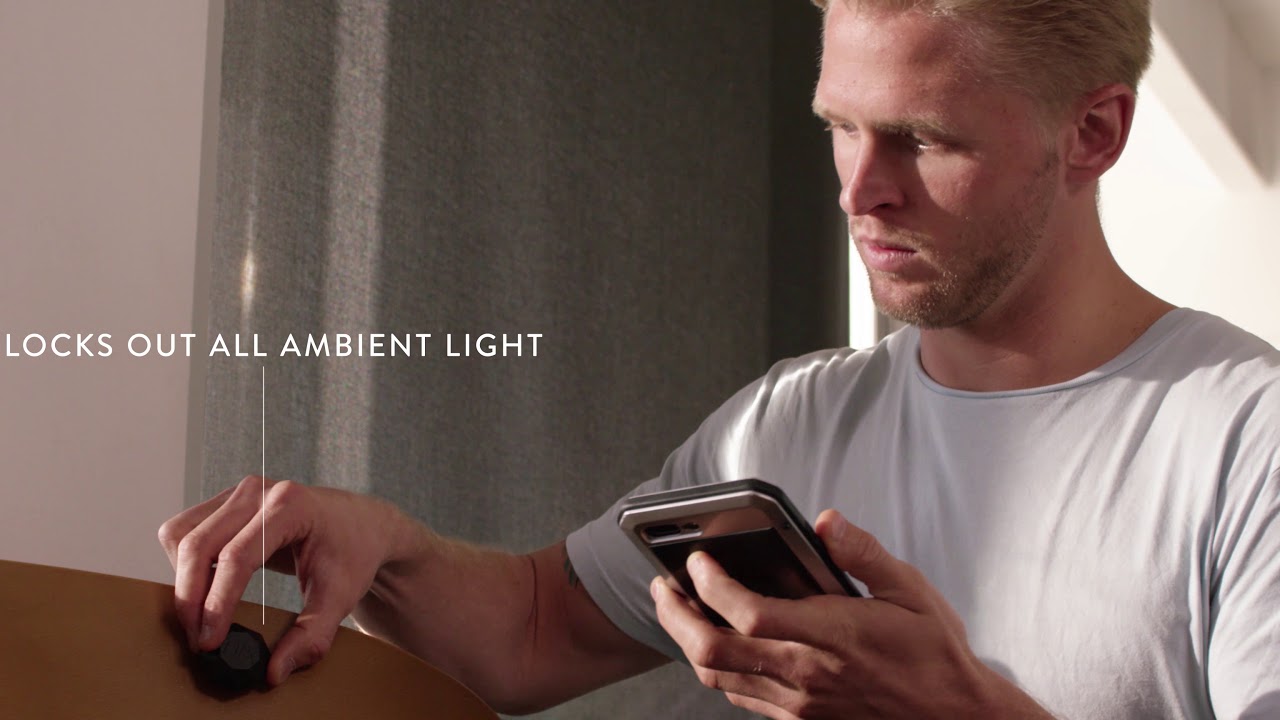
  • Surface Handling: Nix sensors are famous for their ability to block out 100% of ambient light. This means whether you are scanning a wall in a dark corner or under bright fluorescent lights, the Nix Sensor remains consistent. Color Muse devices also feature a closed-system design but are often noted for their strength in “sheen” measurement, helping you identify if a paint is matte, eggshell, or glossy.
  • Aperture Size: Nix offers specialized apertures (down to 2mm for specific models), allowing you to scan smaller details or patterns that the standard 4mm aperture of the Color Muse might struggle to isolate.

Easy Color Measurement

Nix Sensor allows users to capture color with precision, directly from any surface. You don’t need complex equipment or technical expertise. Measuring colors for design, printing, or photography becomes simple, saving time and effort. Many Nix Sensor review articles highlight how intuitive and easy-to-use the device is, even for beginners. Just as precision is vital for your design work, having a stable and high-performance server is essential for your online portfolio; reading this InterServer review will show you how to host your creative projects on a platform known for its 100% power uptime and affordable price lock guarantee.

Advanced Data Management

Nix Sensor allows storing and managing color data efficiently. You can export, analyze, and share color readings easily. Users often emphasize in Nix Sensor review posts how it simplifies tracking and organizing color information, which is crucial for creative projects.

Conditional and Smart Features

With Nix Sensor, users can apply smart settings and adjustments for color accuracy. Conditional calibration modes ensure that color data is consistent across devices. Many Nix Sensor tutorial guides explain how these features improve workflows and ensure reliable results.

Integrations

Nix Sensor integrates with popular design and color tools like Adobe software and color libraries. This lets you automate color workflows efficiently. Many web professionals praise this feature in Nix Sensor review articles for saving time and increasing productivity.

Portable and Mobile-Friendly

Nix Sensor is compact and mobile-friendly, working seamlessly on laptops, tablets, and mobile devices. Nix Sensor review articles often mention how portability helps designers measure colors anywhere, whether in the studio or on-site.

File and Data Export

Users can export color readings in various formats, making it easier to share and use in design projects. Nix Sensor supports multiple file types, which is highly appreciated in review posts for professional and commercial use.

Anti-Miscalibration Tools

Nix Sensor includes built-in calibration tools to prevent inaccurate readings. Many Nix Sensor review articles highlight this as a major time saver for creative professionals. Just as precision in color is vital for your brand’s visual identity, precision in your social media strategy is key to reaching the right audience; reading this Flick review will show you how to use advanced hashtag tracking and scheduling tools to optimize your online presence with the same level of accuracy.

Custom Notifications

You can set alerts to track calibration reminders or project deadlines. Nix Sensor reviews often point out how notifications improve workflow management and ensure color accuracy.

Key Nix Sensor Benefits for Painters and Interior Designers

For professionals in the design and construction industry, the Nix Sensor has revolutionized the “Consultation to Completion” workflow. It eliminates the guesswork and the need for heavy, outdated fan decks.

Here are the primary benefits for painters and interior designers in 2026:

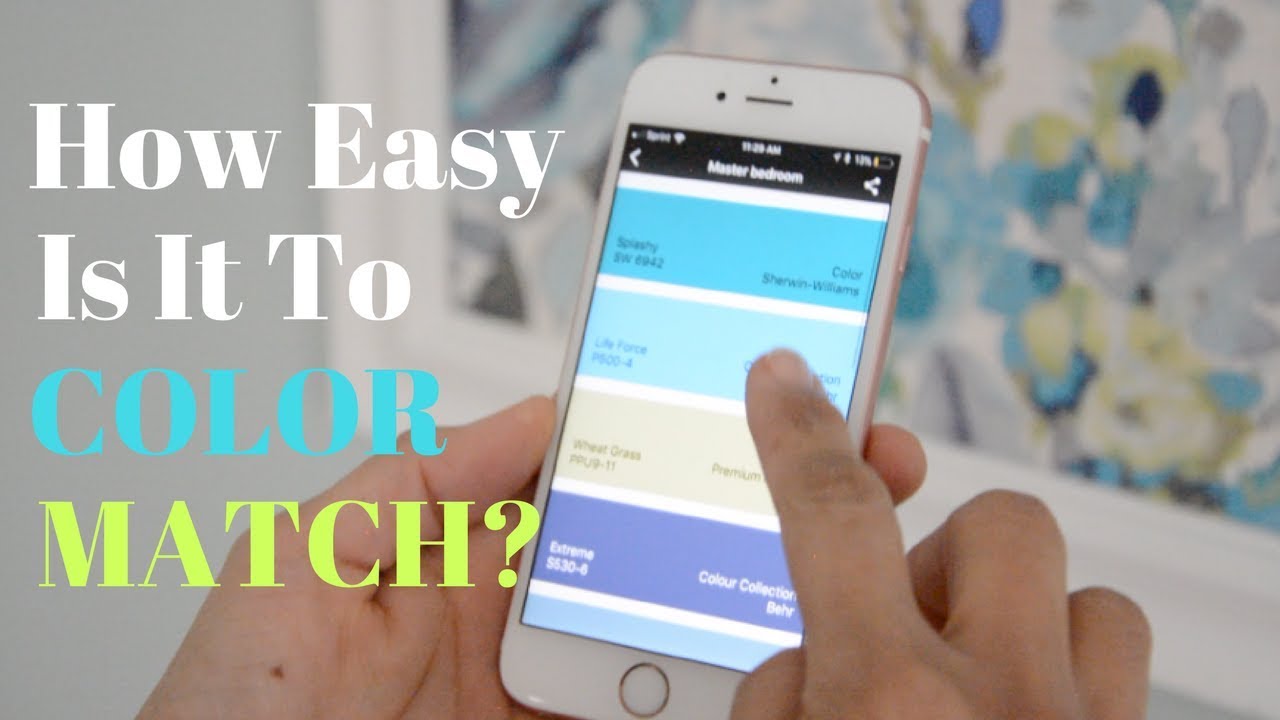
  • Instant Paint Matching: With a library of over 300,000+ paint colors from top brands like Sherwin-Williams, Benjamin Moore, and Behr, you can scan any surface (fabric, plastic, or an old wall) and find the exact paint code in seconds.
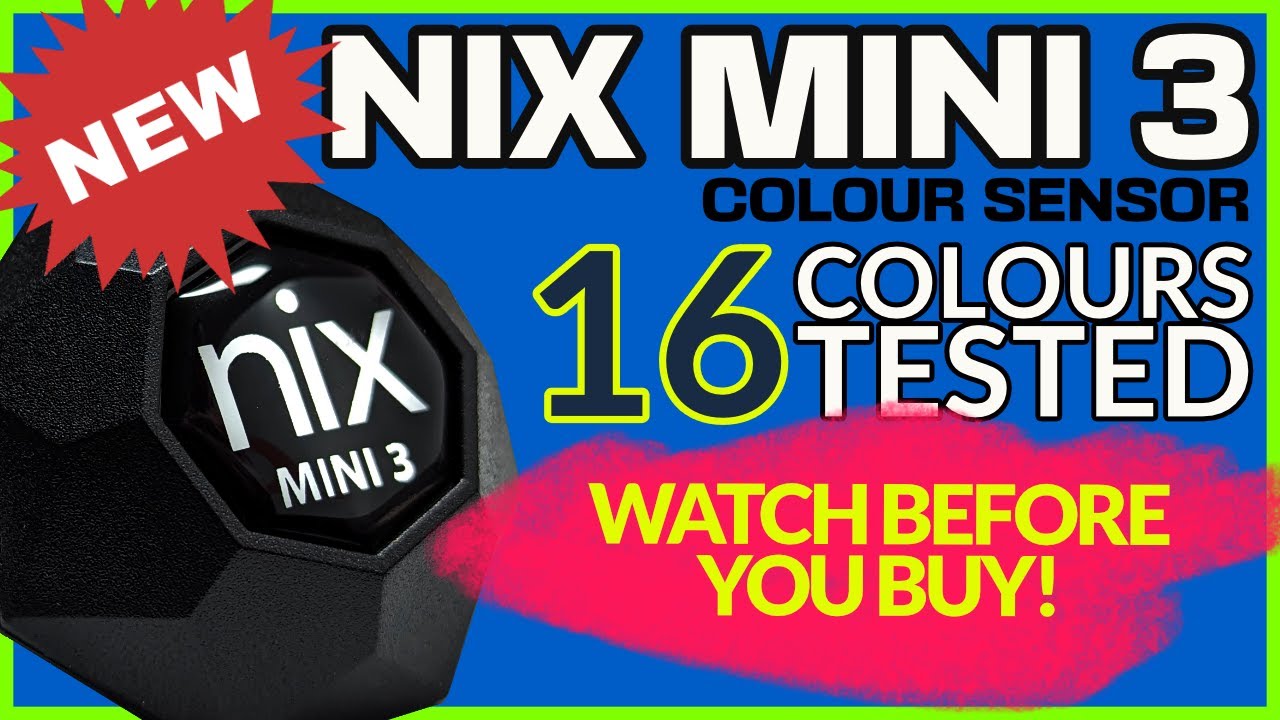
  • No Calibration Required: Unlike older colorimeters that required finicky white tiles or calibration cards, the Nix Mini 3 and Pro 2 come factory-calibrated and ready to use, saving time on the job site.
  • Durability for the Field: Designed with a rugged, splash-resistant (IPX4) build, these sensors are made for real-world environments like dusty construction sites or humid renovation projects.
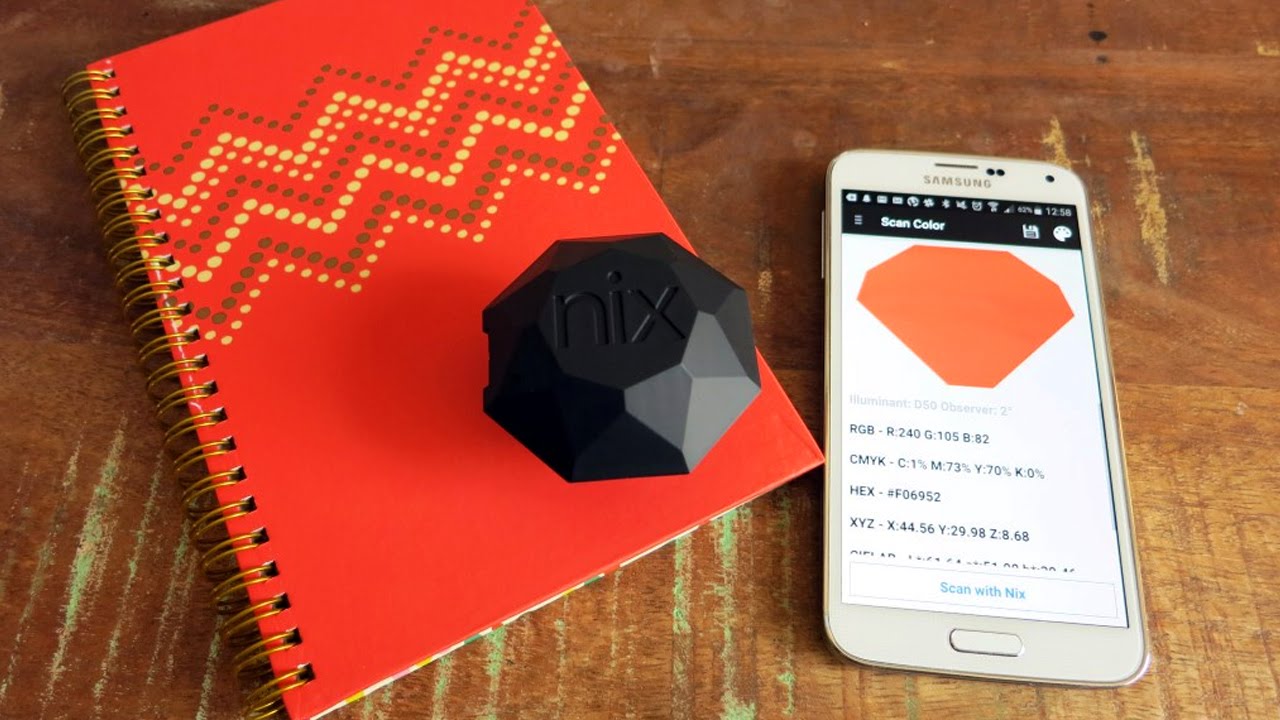
  • Digital Color Palettes: Interior designers can scan inspiration from the real world a flower, a piece of tile, or a textile and instantly convert it into HEX, CMYK, or RGB values to import into tools like Photoshop, Canva, or Illustrator.
  • Client Confidence: Showing a client a digital match with a 95%+ accuracy rating on your smartphone builds immediate trust and reduces the risk of expensive “wrong color” repaints.

Quick Comparison: Nix vs. Design Workflow

Feature Designer Benefit ROI Impact
Ambience Blocking Accuracy in any lighting Zero rework due to lighting errors
Multi-Brand Matching Compare 5+ brands at once Finds the cheapest/best paint faster
Portability Fits on a keychain/pocket Always ready for spontaneous inspiration
Exportable Data Syncs with design software Faster workflow from site to studio

Nix Sensor Features – What You Get?

Nix Sensor features provide powerful tools to measure, manage, and apply colors accurately. Whether you are a beginner or a pro, these tools simplify color workflows and make projects more reliable.

  • Accurate Color Measurement
  • Portable and Mobile-Friendly
  • Calibration Tools
  • File Export Options
  • Integrations with Design Software
  • Smart Settings
  • Color Data Management
  • Supports Multiple Color Formats
  • Tutorials and Guides
  • Advanced Features Require Pro Version
  • Slight Learning Curve for Beginners

Video Guides and Tutorials

Nix Sensor tutorial videos make learning effortless for new users. They show how to measure colors, calibrate devices, and integrate with design software. Even beginners can follow step-by-step instructions. Many Nix Sensor review posts highlight tutorial videos as a key way to save time and ensure accuracy.

Zootrix Tutorial
Proxy Seller Review
Liquid Web Hosting
Why Small Businesses Love DigiSigner

Nix Sensor Price Plans

Nix Sensor pricing is designed to cater to hobbyists, professionals, and businesses. The Basic plan is ideal for beginners and small projects, offering essential color measurement features. The Pro plan provides advanced tools, integrations, and priority support for growing professionals. The Elite plan offers full access to all features, including advanced calibration and expert support, perfect for studios or agencies. Many users in Nix Sensor reviews suggest starting with a smaller plan and upgrading as needed to maximize value and capabilities.

Pros and Cons of Nix Sensor

Nix Sensor provides accurate color measurement, portability, and advanced integrations, making it ideal for professionals. However, some advanced features require the Pro version, and beginners may need time to fully understand all capabilities. Overall, its precision and workflow benefits outweigh minor learning curves.

Nix Sensor vs Color Muse

Nix Sensor vs Color Muse is a common comparison. Nix Sensor is praised for precise measurement, portability, and software integrations. Color Muse offers a simpler experience but lacks some advanced options. Many Nix Sensor review posts recommend it for professionals who need reliable and versatile color measurement tools.

4.6 EASE OF USE
4.4 VALUE FOR MONEY
4.8 CUSTOMER SUPPORT
5.0 FUNCTIONALITY
Arjun Mehta Product Designer
Review Date: 18 January, 2025

PixelCraft Studios
Project Type:
Color Management Solutions

“Nix Sensor is a compact and highly accurate color measurement tool that helps designers, painters, and decorators capture real-world colors with precision. Its companion app seamlessly matches shades to digital palettes, making it perfect for design professionals who value consistency. While it comes at a premium price, the accuracy and reliability make Nix Sensor a worthwhile investment for creative and industrial projects.”

EASE OF USE
VALUE FOR MONEY
CUSTOMER SUPPORT
FUNCTIONALITY

Nix Sensor Alternatives

Nix Sensor stands out as the best choice for color matching due to its unmatched accuracy, portability, and ease of use, outperforming many alternatives in both professional and DIY settings. Unlike other tools, it delivers precise color readings in seconds, making design and production processes smoother. Top Nix Sensor alternatives you can consider include Color Muse, Datacolor Spyder, X-Rite ColorMunki. Explore these options to find the perfect fit for your color matching needs.
Placeit Review

Placeit Review

4.6/5 on Trustpilot — instant logo, mockup & design template factory by Envato
Explore More
Decktopus Review

Decktopus Review

Best AI Presentation Software for Founders & Marketers
Explore More
PosterMyWall Review

PosterMyWall Review

Rated 4.7/5 on G2 — 50M+ users worldwide
Explore More
Pacdora Review

Pacdora Review

Rated 4.6/5 on Capterra — 1,500+ 3D packaging templates
Explore More
Envato Market Review

Envato Market Review

4.1 (237+ reviews) on G2
Explore More
Glorify Review

Glorify Review

Glorify Review – Ecommerce-Focused Graphic Design Tool With Mockups, AI Background Remover & Templates
Explore More
Crowdspring Review

Crowdspring Review

4.0+ on G2 with featured reviews from 173 customers
Explore More
ProtoPie Review

ProtoPie Review

4.7 (240+ reviews) on G2
Explore More
Vexels Review

Vexels Review

4.6 (320+ reviews) on G2
Explore More
Creatify Review

Creatify Review

4.5 (2,972)
Top Rated Features
  1. AI Design Assistance
  2. Template Library & Smart Editing
  3. Real-time Design Suggestion
Explore More
Kyssbag Review

Kyssbag Review

4.3 (2,212)
Top Rated Features
  1. Smart Travel Design
  2. Smart Storage and Comfort
  3. Travel Planning Made Easy
Explore More
Thrive Themes Review

Thrive Themes Review

4.6 (2,791)
Top Rated Features
  1. Easy Form Creation
  2. Mobile-Friendly Design
  3. Customizable Notifications
Explore More
BookBolt Review

BookBolt Review

4 (2,302)
Top Rated Features
  1. Simple Low Content Book Creation
  2. Advanced Keyword and Niche Research
  3. Wide Interior Template Library
Explore More
Pngtree Review

Pngtree Review

4.8 (2,672)
Top Rated Features
  1. Huge Collection of Images
  2. Free and Paid Options
  3. Constantly Updated Resources
Explore More
Uxcel Review

Uxcel Review

4.7 (2,676)
Top Rated Features
  1. Flexible Self-Paced Learning
  2. Uxcel Pricing Plans
  3. Core Features of Uxcel
Explore More
Homestyler Review

Homestyler Review

4.7 (2,991)
Top Rated Features
  1. Free 3D Home Design
  2. AI-Powered Design Assistance
  3. Professional-Grade Tools
Explore More
FAQs

Frequently Asked Questions

If you are thinking about using Nix Sensor, you probably have many questions. From Nix Sensor pricing to features and comparisons like Nix Sensor vs Color Muse, we at Idealonlinebusiness answer all your queries.

Nix Sensor is a device that helps capture accurate colors from any surface. Many Nix Sensor review articles mention its simplicity and reliability for professionals and beginners.

Nix Sensor pricing depends on the plan. Basic plans are affordable for hobbyists, while Pro and Elite plans include advanced features and integrations. Reading a Nix Sensor review can help you choose the best plan.

Nix Sensor features include accurate color measurement, calibration tools, portable design, software integrations, and file export options. Reviews praise these features for saving time and improving workflows.

Nix Sensor is precise and feature-rich, ideal for professionals. Color Muse is beginner-friendly with simpler tools. Many Nix Sensor review posts suggest choosing based on your project needs.

Yes, tutorial videos and guides show step-by-step instructions for measuring and managing colors. Nix Sensor review articles highlight tutorials as a key resource for beginners.

Yes, Nix Sensor can manage color for design, printing, photography, and branding projects. Many Nix Sensor reviews highlight its professional accuracy.

Yes, all readings are precise and reliable. Nix Sensor review posts emphasize its accuracy for professional work.

Yes, Nix Sensor allows exporting data in multiple formats for use in various software. Many reviews note this feature as highly beneficial.

Yes, Nix Sensor provides email support, tutorials, and documentation. Reviews often highlight the helpful and responsive support team.

If you need advanced color measurement with portability and integration, Nix Sensor is ideal. For monitor or printer calibration, Datacolor Spyder or X-Rite ColorMunki may be better. Comparing Nix Sensor vs Datacolor Spyder and Nix Sensor vs X-Rite ColorMunki helps make the right choice.

⚠️ Affiliate Disclosure: This site contains affiliate links. We may earn a commission when you purchase through our links at no extra cost to you. Results are not typical.