Speak AI is a conversation intelligence platform that transcribes calls, meetings and interviews, then analyses them for themes, sentiment and keywords across more than 100 languages.
At IdealOnlineBusiness, we have worked through both billing models and the point at which metered usage stops being cheaper than a seat. If you are weighing this against a plain transcription service, the question is whether you need the analysis layer or just the words.
| Pros | Cons |
|---|---|
| Analysis, not just transcription: themes and sentiment across a whole corpus. | Overkill for plain transcripts: cheaper tools do that job better. |
| No monthly fee on pay-as-you-go: costs scale down to nearly nothing. | Metered billing is hard to forecast: uneven months produce uneven bills. |
| 100+ languages: covering standard and premium tiers. | Premium languages cost 50 percent more: check yours before budgeting. |
| Open integrations: API, MCP, CLI and Zapier even on the free tier. | Pro caps at five users: a sixth seat pushes you to quoted pricing. |
| Shared team library: makes collaborative research practical on Pro. | HIPAA only on Enterprise: lower tiers are unsuitable for health data. |
| 7-day trial, no card: low-risk evaluation. | Storage capped at 10 GB on Pro: video-heavy work will hit it. |
Speak AI earns its price when the pattern across many recordings is the deliverable. Calculate your monthly hours: under ten per person, stay on pay-as-you-go; above that, Pro is both cheaper and more workable.
Speak transcribes audio and video across more than 100 languages. Standard languages are billed at 2 US dollars an hour on pay-as-you-go, premium languages at 3, and meeting capture at 4.
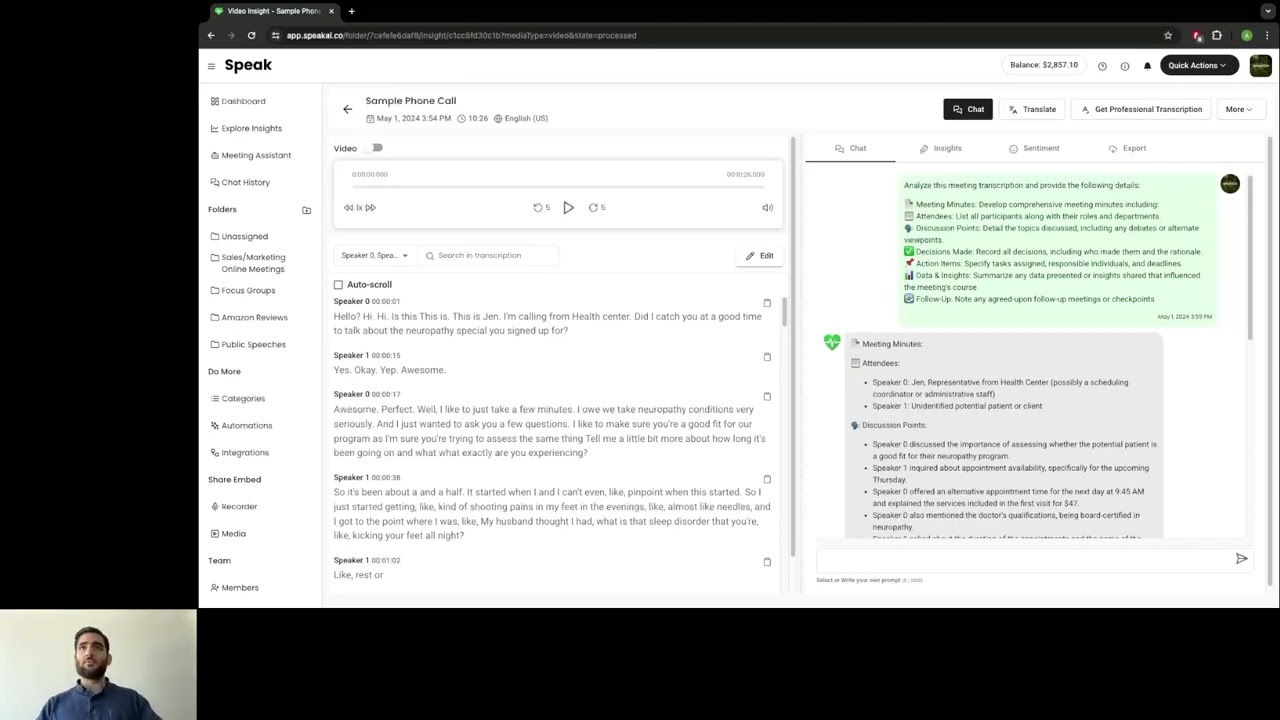
The point of difference is what happens after transcription: keyword and theme extraction, sentiment scoring and trend tracking across a whole corpus. If you only want the words typed out, cheaper tools exist.
Two models run side by side. Pay-as-you-go costs nothing monthly and bills by the hour. Pro is 20 US dollars per user per month for up to five users and includes 25 credits each, roughly 25 hours of standard transcription.
Meeting transcription captures calls directly at 4 dollars an hour on the metered plan. Useful for research interviews and customer calls where you want the analysis layer rather than a bare recording.
Multi-model AI chat lets you ask questions across your uploaded data rather than reading transcripts one by one. On pay-as-you-go it is billed from 8 cents per chat; on Pro it is included.
Pro adds a shared team library, automations, branded recorders and usage analytics, plus unlimited data retention. For a research team working on the same corpus, the shared library is the reason to move off metered billing.
API, MCP and CLI access with webhooks and Zapier are available even on the pay-as-you-go tier, which is unusually open. It makes Speak viable as a transcription backend rather than only as an interface.
Enterprise adds white-label deployment, custom AI agents, video and tone analysis, single sign-on and a BAA for HIPAA work, along with volume transcription rates.
Two models, which is unusual and worth understanding before you commit. Pay-as-you-go has no monthly fee and unlimited users, billing purely by usage: 2 US dollars an hour for standard-language transcription, 3 for premium languages, 4 for meeting capture, and from 8 cents per AI chat. Pro is 20 US dollars per user per month, or 240 per user annually for a 20 percent saving, covering up to five users and including 25 credits each month per user, roughly 25 hours of standard transcription, plus 10 GB of storage and unlimited data retention. Enterprise is quoted and adds white-label deployment, custom agents, video and tone analysis, SSO and a BAA for HIPAA work.
The crossover is straightforward arithmetic. At 2 dollars an hour, 20 dollars of metered usage buys ten hours. Pro includes about 25 hours for the same money, so if a user reliably processes more than ten hours a month, Pro wins. Below that, pay-as-you-go is cheaper and carries no commitment.
Walkthroughs covering uploading a first interview, running theme and sentiment analysis across a set of recordings, and connecting Speak to other tools through Zapier.
Speak AI transcribes recordings and then analyses them, surfacing themes, sentiment and keywords across a whole body of interviews or calls.
Pay-as-you-go has no monthly fee and unlimited users. Transcription is 2 US dollars an hour for standard languages, 3 for premium languages and 4 for meeting capture, with AI chat from 8 cents. Pro is 20 US dollars per user per month, or 240 per user per year, for up to five users, and includes about 25 hours of standard transcription per user plus 10 GB of storage and unlimited retention. Enterprise is quoted individually.
Work out your monthly hours before choosing. Ten hours a month per person is the break-even: below it, metered billing is cheaper and you carry no commitment; above it, Pro is better value and adds the shared library, automations and branded recorders that make a team workflow practical.
One structural limit to note: Pro stops at five users. A research team of six is pushed toward Enterprise pricing, which is quoted rather than published. If you expect to grow past five seats, get that quote before you standardise on the tool.
Speak AI sits between plain transcription services and full qualitative research platforms, so the alternatives split along that line.
On this site, our Castmagic review covers the closest adjacent tool if your goal is turning recordings into publishable content rather than analysing them.






Top Rated Features
Common questions about Speak AI pricing, how the two billing models compare, and whether the analysis layer justifies the cost over plain transcription.
⚠️ Affiliate Disclosure: This site contains affiliate links. We may earn a commission when you purchase through our links at no extra cost to you. Results are not typical.