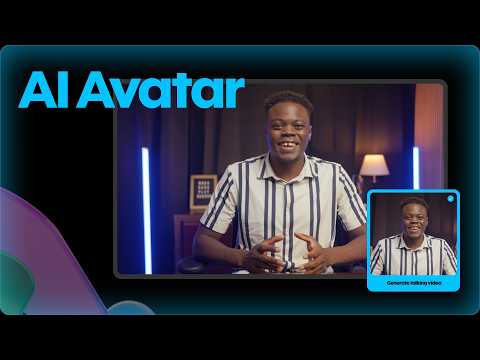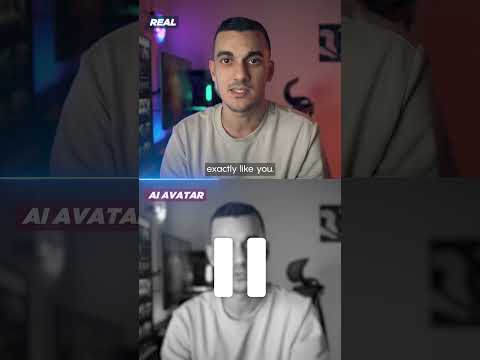
HeyGen is an AI video generation platform that turns a script into video featuring realistic avatars and cloned voices, and translates existing videos into other languages with matching lip movement.
At IdealOnlineBusiness, we have worked through all five tiers, how the credit system actually meters usage, and where the free plan stops being useful. If you are comparing HeyGen with Synthesia or weighing it against filming, the deciding factor is how many finished minutes you publish each month.
| Pros | Cons |
|---|---|
| No filming required: a script becomes a presenter video in minutes. | Free tier is a trial: three watermarked minute-long videos a month. |
| Voice cloning: your own voice across 175 or more languages. | Per-seat charges: Business adds 20 US dollars per seat on top of 149. |
| Translation with lip sync: materially better than subtitles for training. | Credits are opaque at first: you have to model published minutes to budget. |
| Credit rollover on Creator: unused allowance is not simply lost. | Avatar limits: one custom avatar until the Business tier. |
| SCORM export: drops straight into a learning management system. | Still reads as synthetic: a problem for brand-critical marketing. |
| Fast at volume: forty localised versions cost what one shoot would. | Consent obligations: cloning a voice or likeness needs documented permission. |
HeyGen earns its price on repetition and translation, not on single set-piece videos. Model your monthly published minutes, start on Creator, and only move to Business when seats, avatars or SCORM force it.
You paste a script, pick an avatar and HeyGen renders a presenter-style video. There is no filming, no studio and no editing timeline, which is the entire proposition and the reason it gets used for training and product explainers.
Voice cloning arrives on the Creator tier and covers 175 or more languages. You record a short sample once, then every future video speaks in your own voice without re-recording.
Translation is the feature people actually stay for. HeyGen re-voices an existing video into another language and adjusts lip movement to match, which is far more convincing than subtitles for training content.
Free and Creator allow one custom avatar built from your own footage. Business raises that to five. If you want several people represented, the seat and avatar limits matter more than the credit count.
Everything is metered in credits rather than minutes: 600 a month on Creator, 1,000 on Pro, 1,500 on Business. Credits roll over on Creator, and the practical planning question is how many finished minutes you need each month.
The free tier gives three videos a month, capped at one minute each, watermarked. That is enough to judge output quality and nothing more. Treat it as a trial rather than a usable plan.
Pro at 49 US dollars a month adds 4K export, translation script editing and access to the more advanced models. It is the tier where output quality stops being the limiting factor.
Business is 149 a month plus 20 per seat, adding SAML and single sign-on, team collaboration, interactive video, SCORM export for learning platforms and five custom avatars.
Five tiers, metered in credits rather than minutes. Free gives three videos a month at up to one minute each, watermarked, with 500 or more stock avatars and one custom avatar. Creator is 29 US dollars a month or 24 billed annually for 600 credits, videos up to 30 minutes, no watermark, 1080p export, voice cloning, 175 or more languages and credit rollover. Pro is 49 a month for 1,000 credits, 4K export, translation script editing and the advanced models. Business is 149 a month plus 20 per seat for 1,500 credits, 60-minute videos, five custom avatars, SAML and SSO, interactive video and SCORM export. Enterprise is quoted.
The planning question is not which features you want but how many finished minutes you publish each month. Credits are consumed by output length, so a team producing weekly training videos lands on a different tier from one making an occasional explainer.
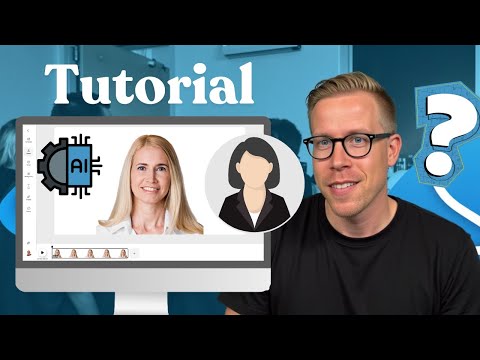
Walkthroughs covering building a first avatar video from a script, cloning a voice, and running an existing video through translation with lip sync.
HeyGen turns scripts into presenter-led video using AI avatars, and re-voices existing footage into other languages. These are the areas it covers.
Free is 0 US dollars and gives three watermarked videos a month at up to one minute each. Creator is 29 a month, or 24 billed annually, for 600 credits, videos up to 30 minutes, no watermark, 1080p, voice cloning and credit rollover. Pro is 49 a month for 1,000 credits, 4K export and translation script editing. Business is 149 a month plus 20 per seat for 1,500 credits, 60-minute videos, five custom avatars, SSO, interactive video and SCORM export. Enterprise is quoted individually.
Credits are the thing to model, not features. They are consumed by finished video length, so work out your monthly published minutes first. Creator suits an individual creator or a small marketing team. Pro is the point at which output quality stops constraining you. Business only makes sense when you need several seats, several avatars, or SCORM for a learning platform, because the per-seat charge climbs quickly.
Annual billing takes roughly 17 percent off Creator. The free tier is genuinely only a trial: three one-minute watermarked videos will show you whether the avatars are convincing enough for your audience, which is the question that actually decides this purchase.
HeyGen competes with other avatar video platforms and, at the edges, with conventional editing tools.
On this site, our DeepBrain AI review covers the closest avatar-video rival, and CapCut, reviewed here is the better fit if you are editing real footage rather than generating a presenter.





Common questions about HeyGen pricing, how credits work, and whether the avatars and translation are good enough for real use.
⚠️ Affiliate Disclosure: This site contains affiliate links. We may earn a commission when you purchase through our links at no extra cost to you. Results are not typical.