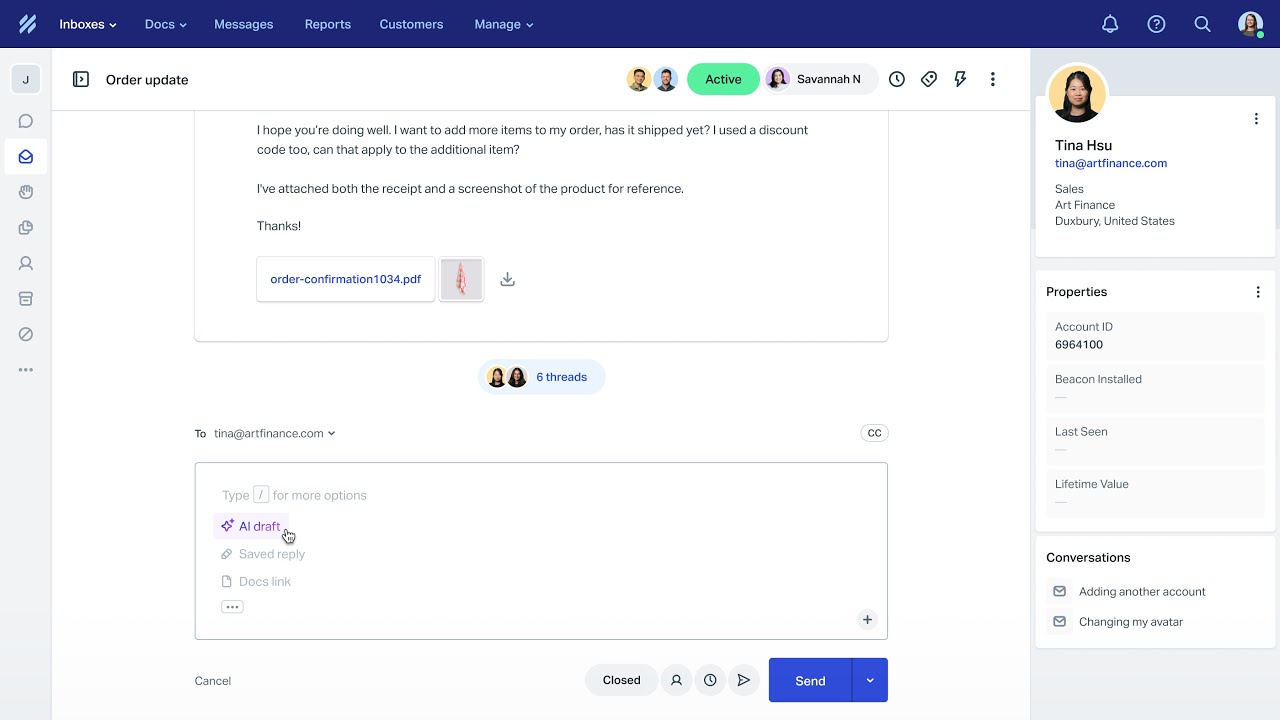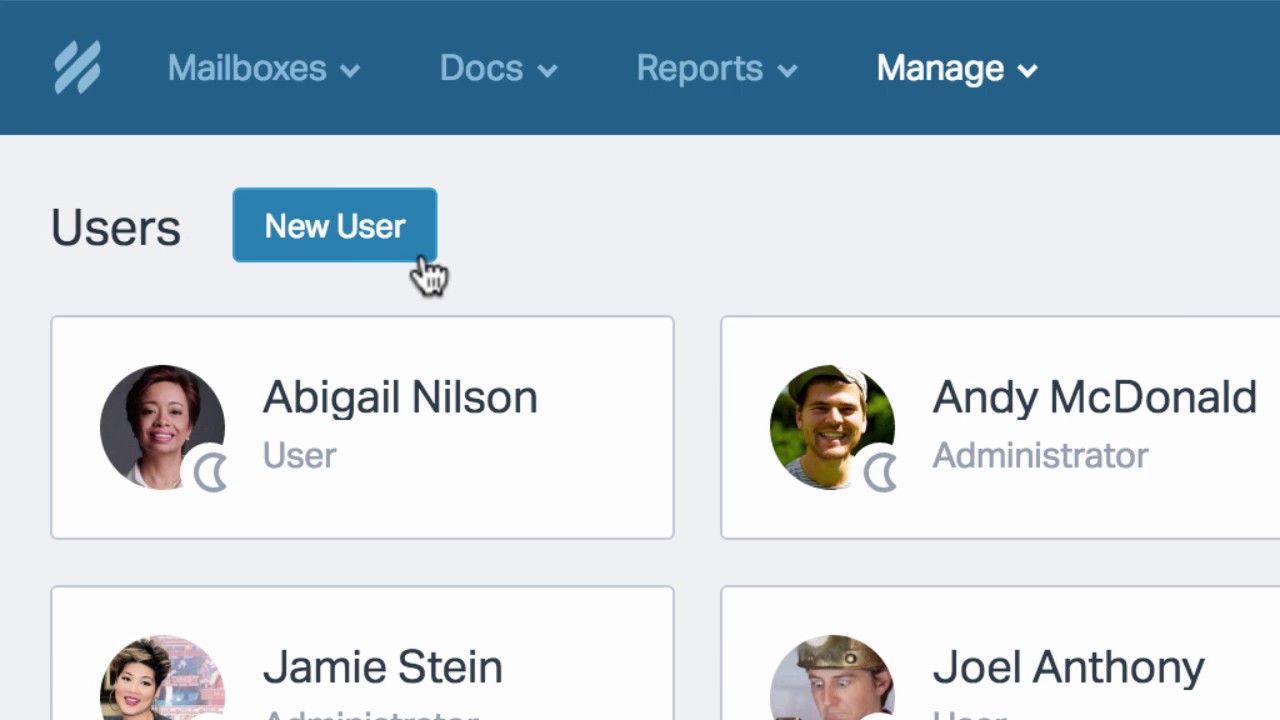
Help Scout is a customer support platform designed to make managing conversations easier for businesses of all sizes. It offers shared inboxes, live chat, knowledge bases, and automation to streamline customer service operations. Built with simplicity in mind, it empowers teams to provide personalized experiences without unnecessary complexity. At IdealOnlineBusiness, we specialize in reviewing top tools to help companies make smarter software choices. In this help scout review guide, we explore its functionality, pricing, and benefits. By the end, you’ll have a clear understanding of whether this solution suits your needs, based on this detailed Help Scout review.
| Pros | Cons |
|---|---|
| User-Friendly Interface: Clean, email-like dashboard makes it easy for teams to adopt quickly. | Limited Customization: Fewer design and workflow customization options compared to competitors. |
| Unified Communication: Combines email, chat, and help desk into one platform. | Limited Integrations: Fewer third-party integrations than enterprise tools. |
| Strong Collaboration Tools: Shared inboxes, notes, and tagging improve team efficiency. | No Advanced AI Automation: Lacks AI-driven automation features found in modern tools. |
| Automation Capabilities: Handles repetitive tasks like routing and responses efficiently. | Learning Curve for Advanced Features: Some features require time to fully understand. |
| Knowledge Base Support: Helps customers self-serve with FAQs and guides. | Pricing for Advanced Plans: Higher-tier plans may be costly for small teams. |
| Detailed Reporting & Insights: Track KPIs and improve customer service performance. | Limited Enterprise Features: Not as powerful for large-scale enterprise needs. |
Businesses can deliver personal support using customer profiles and interaction history. Agents provide context-driven responses, improving loyalty and reducing churn. A detailed help scout review often highlights this personalization as a major advantage, ensuring businesses build trust and maintain stronger customer relationships
Shared inboxes allow teams to handle conversations together. Tagging, notes, and assignments streamline workflows, while managers gain visibility. Teams avoid duplicated efforts, stay accountable, and collaborate better. This core functionality is often praised in every professional help scout review for enhancing teamwork efficiency.
Automation handles repetitive tasks like routing, triggers, and canned responses. It saves time, improves consistency, and ensures customers receive quick resolutions. A trusted help scout review emphasizes automation as a critical feature for businesses seeking productivity gains without compromising service quality.
Help Scout offers simple tools to build knowledge bases with FAQs and guides. Customers solve issues independently, reducing ticket volume and increasing satisfaction. This also allows teams to concentrate on complex, personalized queries that require more detailed problem-solving.
With powerful dashboards, managers track performance, KPIs, and customer happiness scores. These insights help refine strategies, boost efficiency, and make data-driven decisions. Over time, businesses gain a clearer understanding of service quality and areas for improvement.
It integrates seamlessly with CRMs, e-commerce platforms, and third-party apps. Smooth connections improve workflow efficiency, strengthen data flow, and give businesses a 360-degree view of customer interactions across multiple channels, creating a more unified support ecosystem.
Help Scout’s clean, intuitive dashboard makes it easy for teams to adapt quickly. Minimal training is required, adoption rates improve, and businesses focus more on customer service delivery instead of struggling with overly complex software tools.
Help Scout provides extensive video tutorials covering setup, inbox management, knowledge base creation, and reporting. These guides and help scout review ensure users adapt quickly without external training. Step-by-step walkthroughs help new users build confidence, while advanced tutorials empower teams to use automation and integrations effectively. Whether you’re a beginner or an experienced user, the platform’s video library makes learning easy. Combined with customer support, these tutorials ensure businesses maximize the value of the platform while reducing onboarding time for employees.
Help Scout offers three customer support tiers plus add-ons. Annual billing saves approximately 16% versus monthly, and a 15-day free trial covers all paid plans (no credit card required).
Annual billing lowers the effective per-user rate by roughly 16% compared with paying monthly. All paid plans include a 15-day free trial with no credit card required.
Help Scout pairs a clean, email-like shared inbox with a built-in knowledge base and customer messaging, which makes it a strong fit for support-led teams. Here is how its strengths and trade-offs compare.
Pros
Cons

Help Scout is often preferred because of its simplicity, affordability, and strong personalization. Unlike many competitors, it balances usability with advanced features without overwhelming users. However, businesses may consider Help Scout alternative tools such as Zendesk, Freshdesk, and GrooveHQ. While these offer different strengths, explore some alternative solutions if specific enterprise needs or advanced integrations are required. Therefore, our help scout review helps you to find the best Help Scout Alternatives.


Tawk.to is a completely free live chat and customer messaging platform that lets businesses monitor and engage visitors on their websites in real time. In this Tawk.to review by IdealOnlineBusiness.com, we look at its pricing, features, real user ratings, and ease of use based on public G2, Capterra, and Trustpilot reviews. Whether you run an e-commerce store, SaaS business, or service company, Tawk.to provides unlimited chat, agents, and history at no cost, with optional paid add-ons.
Our analysis of Tawk.to live chat reviews shows the platform is widely loved for being genuinely free, easy to install, and feature-complete for small businesses. It holds a 4.6/5 rating on G2 with 300+ reviews and 4.6 on Capterra with thousands of reviews. Users call out the unlimited agents, knowledge base, mobile apps, and customization, while some flag occasional notification delays. For businesses wanting a robust free live chat platform, Tawk.to is hard to beat.
Explore More







Help Scout is a customer support platform designed for businesses of all sizes. At IdealOnlineBusiness, This Help Scout review provides detailed answers about Help Scout features, pricing, and alternatives to help you make confident decisions when selecting the right support tool for your business.
⚠️ Affiliate Disclosure: This site contains affiliate links. We may earn a commission when you purchase through our links at no extra cost to you. Results are not typical.