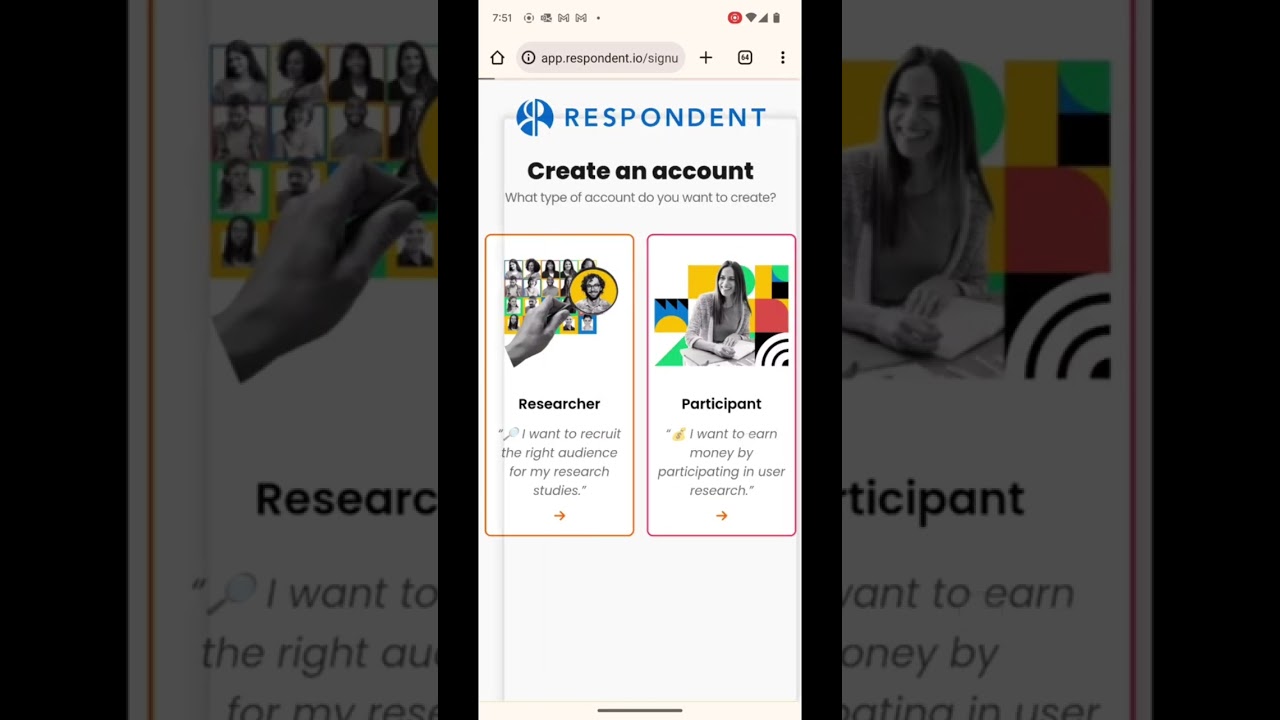
Respondent is a research participant marketplace that helps product teams, UX researchers, and marketers recruit verified, high-quality participants for paid user interviews, surveys, and usability tests. In this Respondent review by IdealOnlineBusiness.com, we look at its pricing, recruitment quality, screener tools, and real user ratings collected from G2, Capterra, and Trustpilot.
Whether you run product discovery interviews, customer journey research, or B2B usability tests, Respondent promises a 3-million+ verified-participant network across niches like SaaS buyers, healthcare professionals, and consumer audiences. It backs that up with custom screeners, automated scheduling, and verification workflows that filter out professional respondents.
Our analysis of Respondent user reviews shows the platform is widely trusted for quality of participants, especially in hard-to-reach B2B segments. It has public reviews on G2, but we have not independently verified a current aggregate score and so do not quote one — check G2 directly. Researchers consistently call out the verified LinkedIn-checked profiles, fast recruitment turnaround (often less than 48 hours), and the no-show protection as the biggest time savers.
Respondent’s panel includes 3+ million verified participants across consumer demographics, B2B professionals (CMOs, developers, HR managers), healthcare workers, and specialized industries. Every account is identity-checked and LinkedIn-validated for B2B segments.
Run consumer studies (general public, parents, gamers, shoppers) or B2B studies (SaaS buyers, IT decision makers, finance professionals). Niche filters cover company size, role seniority, industry, and tooling.
Build custom screeners with multiple-choice, free-text, ranking, and conditional-logic questions. Pre-built screener templates speed up B2B and consumer recruitment workflows.
Calendar invitations, automated email reminders, and rescheduling links are baked into the workflow, reducing no-shows and admin work for the research team.
For B2B studies, every applicant’s LinkedIn profile is checked against their stated role and company before they reach your shortlist. This dramatically reduces fake or off-target candidates.
If a participant no-shows or fails screener verification, Respondent replaces them at no cost. You pay only for completed, vetted sessions.
Native Zoom integration generates unique meeting links per session and stores recordings in your researcher library for downstream review and analysis.
Multi-stage screeners let you run a quick filter survey first, then a deeper qualification round before participants reach the booking page — perfect for highly specialized roles.
Respondent packages a full B2B research recruitment platform into one workspace. You get vetted business and consumer panels, a project builder, automated screening, scheduling, payment processing, and a built-in incentive marketplace. According to Respondent reviews on G2 and Capterra, UX researchers and product teams most often call out the panel quality and how quickly verified professionals show up for sessions compared to generic survey panels.
Where Respondent really separates itself from generic recruiting tools is the audience layer. The platform verifies LinkedIn profiles, employment history, and demographics, so when you target a CFO at a 500+ employee SaaS company, the people who join your study actually match. Calendar integrations push session bookings into Google or Outlook automatically, and Respondent handles incentive payouts so you never wire money or chase invoices. It is not flawless, niche segments can get expensive, but the core feature set holds up well for product, marketing, and academic researchers in 2026.
If you prefer to learn by watching, Respondent has a growing library of tutorials on YouTube from both the official Respondent channel and independent UX researchers. These walkthroughs cover how to set up your first project, write effective screeners, schedule interviews, and pay incentives through the platform. IdealOnlineBusiness.com recommends watching at least two of the beginner tutorials below before paying for a project, so you can see the project builder, panel quality, and scheduling workflow for yourself before committing.
Respondent is more than a recruiting tool, it packages a complete research operations platform aimed at UX researchers, product managers, marketers, and academics who need vetted participants and reliable scheduling. Below is a breakdown of the core Respondent services and where each one fits into a real research workflow based on Respondent reviews from G2 and Capterra.
The platform groups its services into four areas: participant recruitment, screener and project management, scheduling, and incentive payments. Whether you are running a B2B usability test, a consumer interview round, or an academic study, the same workspace handles audience targeting, qualification, calendar booking, and payment compliance. That end-to-end coverage is exactly why Respondent reviews highlight it as a go-to platform for teams that want vetted research participants without managing logistics by hand.
Respondent uses a pay-per-session recruitment pricing model with no monthly subscription — you only pay for completed sessions, and all add-ons are included. The participant incentive is separate from the Respondent service fee below.
Pay-as-you-go: $40 per session — on-demand research sessions whenever you need them, with everything required to recruit, screen, and schedule participants.
Credit Bundle: $34 per session — save about 15% by paying for research sessions up front; a typical bundle includes around 63 research sessions.
Enterprise: Custom pricing — further volume discounts on unmoderated and survey sessions, plus refunds for poor-quality sessions and dedicated support (talk to sales).
Unmoderated sessions are discounted (around 38% off), and all plans include the verified participant panel, screener builder, scheduling, and calendar integration. Fees shown are per completed session in USD.
While Respondent has the largest verified B2B panel in 2026, some teams need different tradeoffs. User Interviews has a similar marketplace model and is often cheaper for consumer recruitment, while UserTesting and Userlytics offer integrated recording and AI-driven analysis. Prolific dominates academic research at lower incentive rates, and dscout is the choice for diary studies and longitudinal research. For panels that focus on enterprise software buyers, G2 Pulse, Wynter, and Lookback are also worth comparing.

Jotform is a leading online form builder that lets you create surveys, applications, registration forms, payment forms, and more without coding. In this Jotform review by IdealOnlineBusiness.com, we look at its pricing, features, integrations, and ease of use based on public G2, Capterra, and Trustpilot reviews. Whether you collect leads, run events, process payments, or gather feedback, Jotform offers drag-and-drop forms with 10,000+ templates and 200+ app integrations.
Our analysis of Jotform form builder reviews shows the platform is trusted for ease of use, template library, payment integrations, and HIPAA compliance options. It holds a 4.7/5 rating on G2 across 3,200+ reviews. Users praise the intuitive builder, conditional logic, e-signatures, mobile forms, and Jotform Tables database. For any organization needing professional forms fast, Jotform is a top choice.
Explore More
Respondent is one of the highest-quality research recruitment marketplaces in 2026, with verified B2B and consumer panels and a strong reputation for fast turnaround. Below are the most common questions about Respondent pricing, participant verification, and screener best practices.
⚠️ Affiliate Disclosure: This site contains affiliate links. We may earn a commission when you purchase through our links at no extra cost to you. Results are not typical.