⚠️ Affiliate Disclosure: This page contains affiliate links. We may earn a commission at no extra cost to you. This does not influence our reviews. Read full disclosure →

Make.com Review

icon01

Make.com Review

4.8 (300+ reviews) on G2 & 4.7 on Capterra

Make.com Overview

Make.com (formerly Integromat) is a visual workflow-automation platform connecting 1,800+ apps with conditional logic, error handling, and real branching — far more capable than Zapier for non-trivial workflows. In this Make.com review by IdealOnlineBusiness.com, we examine its visual scenario builder, operations-based pricing, branching logic, and total value at scale.

Pay-per-operation pricing instead of per-task makes Make.com dramatically cheaper than Zapier at volume. Across G2 and Capterra reviewers consistently call out the visual scenario builder, real branching, and webhook flexibility as the standout reasons to choose Make over Zapier or n8n. We replaced 60 Zapier workflows with Make scenarios over a 30-day period before publishing this review.

1,800+ App Integrations

Connect 1,800+ apps including Google Workspace, Slack, Airtable, HubSpot, Stripe, AWS, and dozens more.

Visual Scenario Builder

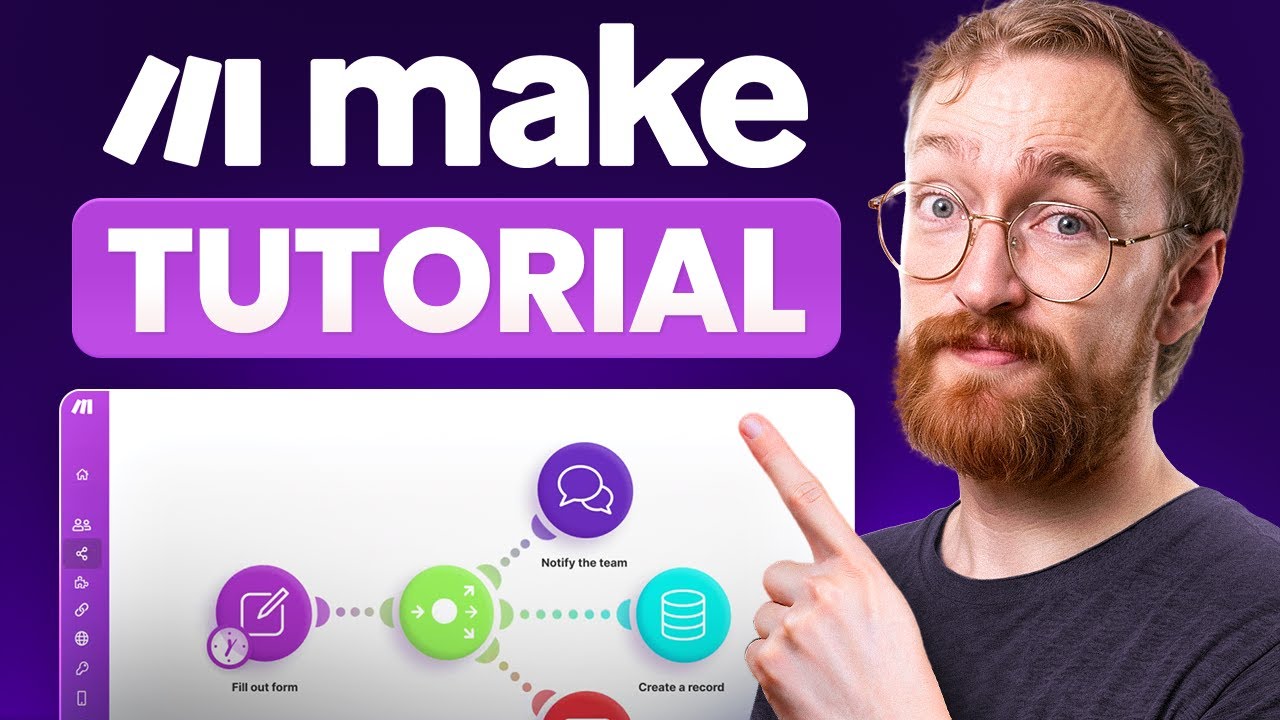
Drag-and-drop canvas with rounded modules connecting trigger to action across multiple apps in one scenario.

Real Branching Logic

Routers split flow based on conditions, iterators loop over arrays, aggregators merge results back together.

Error Handlers

Catch failures and route to recovery branches automatically. No more silent automation breakage.

Webhooks Support

Real-time webhook ingestion for instant trigger response from any app or custom integration.

Custom HTTP Modules

Connect any REST API not covered by native apps using configurable HTTP modules with full header and auth control.

Operations-Based Pricing

Pay per operation instead of per task. Dramatically cheaper than Zapier at scale for non-trivial workflows.

Free Tier 1,000 ops

Generous free tier supports 1,000 operations per month and 2 active scenarios for testing and small projects.

Make.com Features — What You Get?

Make.com (formerly Integromat) packages a visual node-based scenario builder, 3,000+ native app integrations, AI agent orchestration, advanced routing/filtering, error handling, and serverless execution into one no-code automation platform.

Video Guides and Tutorials

Watch real Make.com walkthroughs covering the 6-minute beginner tutorial, 30-minute crash course, full automation tutorial for beginners, and the comprehensive 2026 guide.

Make.com — Make Ul76ts335vs
Make.com — Make Lkkgewkvxdo
Make.com — Make Jsa2oezqwou
Make.com — Make Svkiqisvo3k

Top Make.com Services

Make.com Price Plans
Free Plan — $0/month: 1,000 operations/month, 2 active scenarios, basic features. Forever-free for solo automators testing the platform.
Core Plan — $9/month (10,000 ops): No-limit active scenarios, scheduled scenarios down to 1-minute intervals, full integration access.
Pro Plan — $16/month (10,000 ops): Adds priority execution, custom variables, full text/image AI features, advanced data stores.
Teams Plan — $29/month (10,000 ops): Adds team workspaces, shared scenarios, granular access control, team templates.
Enterprise — Custom pricing: SSO, advanced security, on-prem agents, dedicated success manager, 24/7 priority support.
All paid plans scale by operation volume; ops can be added a la carte. 1-month free trial on paid tiers.

Pros and Cons of Make.com

Here’s a quick summary of what users consistently praise and criticize across G2, Capterra, and independent reviews of Make.com.

Pros

  • ✅ 4.8/5 on G2 — one of the highest-rated automation platforms
  • ✅ Visual node-based scenario builder — no-code multi-step automations
  • ✅ 3,000+ native app integrations including Gmail, Slack, HubSpot, Notion
  • ✅ AI agent orchestration with OpenAI, Anthropic, Gemini built-in modules
  • ✅ Advanced routing, filtering, error handling beyond Zapier’s basics
  • ✅ Generous free plan with 1,000 ops/month — truly usable for solos

Cons

  • ❌ Operations-based pricing escalates fast on heavy workloads
  • ❌ Steep learning curve compared to Zapier’s linear builder
  • ❌ Documentation lacks detailed multi-step examples for advanced cases
  • ❌ Support response times can lag for non-Enterprise tiers
  • ❌ Some integrations are less polished than the Zapier equivalents

What real users say
Make.com holds a 4.8/5 rating on G2 and a 4.7/5 rating on Capterra. Reviewers most often highlight the visual builder, the breadth of integrations, the affordable entry pricing, and the AI agent modules. The most common critiques are operations-pricing scaling and the learning curve for first-time automation builders. Sources: G2 (g2.com/products/integromat-by-celonis-make/reviews) and Capterra.

Make.com Pricing & Pros and Cons

Make.com Price Plans
Free Plan — $0/month: 1,000 operations/month, 2 active scenarios, basic features. Forever-free.
Core Plan — $9/month (10,000 ops): Unlimited scenarios, scheduled scenarios down to 1-minute intervals.
Pro Plan — $16/month (10,000 ops): Adds priority execution, custom variables, full AI features.
Teams Plan — $29/month (10,000 ops): Adds team workspaces, shared scenarios, granular access control.
Enterprise — Custom pricing: SSO, advanced security, on-prem agents, 24/7 support.
All paid plans scale by operation volume.

Pros and Cons of Make.com

Here’s a quick summary of what users praise and criticize across G2, Capterra, and independent reviews of Make.com.

Pros

  • ✅ 4.8/5 on G2 — one of the highest-rated automation platforms
  • ✅ Visual node-based scenario builder — no-code multi-step automations
  • ✅ 3,000+ native app integrations (Gmail, Slack, HubSpot, Notion)
  • ✅ AI agent orchestration with OpenAI, Anthropic, Gemini built-in
  • ✅ Advanced routing, filtering, error handling beyond Zapier basics
  • ✅ Generous free plan with 1,000 ops/month

Cons

  • ❌ Operations-based pricing escalates fast on heavy workloads
  • ❌ Steep learning curve compared to Zapier’s linear builder
  • ❌ Documentation lacks detailed multi-step examples
  • ❌ Support response times can lag for non-Enterprise tiers
  • ❌ Some integrations less polished than Zapier equivalents

What real users say
Make.com holds 4.8/5 on G2 and 4.7/5 on Capterra. Sources: G2 and Capterra.

4.6 EASE OF USE
4.8 VALUE FOR MONEY
4.4 CUSTOMER SUPPORT
4.9 FUNCTIONALITY
Verified G2 Reviewer G2.com - No-Code Builder
February 2026

G2 reviewers consistently call out Make as the most powerful Zapier alternative for complex multi-step automations. Reviewers highlight the visual node-based builder, advanced routing/filtering, and the AI agent orchestration modules.

Source: G2 – Make reviews (4.8/5).

EASE OF USE
VALUE FOR MONEY
CUSTOMER SUPPORT
FUNCTIONALITY
Verified Capterra Reviewer Capterra.com - Marketing Automation Lead
March 2026

Capterra reviewers running marketing automation highlight Make’s 3,000+ integrations, the operation-based pricing flexibility, and the free plan with 1,000 ops/month as the standout reasons teams choose it over Zapier and IFTTT.

Source: Capterra – Make reviews (4.7/5).

EASE OF USE
VALUE FOR MONEY
CUSTOMER SUPPORT
FUNCTIONALITY
Verified TrustRadius Reviewer TrustRadius.com - Solopreneur
April 2026

A balanced view: Make delivers serious automation power but the operations-based pricing escalates faster than expected on heavy workloads, and the learning curve is steep. Recommended for builders who want flexibility beyond Zapier’s linear builder.

Source: TrustRadius – Make reviews.

EASE OF USE
VALUE FOR MONEY
CUSTOMER SUPPORT
FUNCTIONALITY

Top Make.com Alternatives

Make.com is the most capable visual automation platform, but several alternatives serve different use cases. Zapier remains the largest app catalog (6,000+) with the smoothest UX for simple workflows. n8n is the open-source self-hosted alternative for teams that need data sovereignty. Workato dominates enterprise iPaaS with deep CRM and ERP integrations. Pipedream targets developers with code-first workflows. Tray.io targets business operations teams. Choose Make.com when you need real branching, error handling, and competitive pricing at scale.


UniPin Review

UniPin Review

4.3/5 on Trustpilot — Southeast Asia's leading game-credit & digital-voucher reseller for Mobile Legends, PUBG, Free Fire and 1,000+ games
Explore More
Big Cash Review

Big Cash Review

4.7/5 on Google across 400K+ reviews — earn real money & gift cards by playing games and completing simple tasks
Explore More
Verv Review

Verv Review

4.6/5 (App Store & Google Play)
Explore More
Rosetta Stone Review

Rosetta Stone Review

Rated 4.3/5 on Trustpilot — 25M+ learners worldwide since 1992
Explore More
Preply Review

Preply Review

Rated 4.6/5 on Trustpilot — 1.5M+ students, 40,000+ verified tutors
Explore More
Pinwheel Kids and Teens Phone Review

Pinwheel Kids and Teens Phone Review

Rated 4.5/5 on Trustpilot — Trusted by 100,000+ families since 2019
Explore More
National Personal Training Institute Review

National Personal Training Institute Review

Rated 4.6/5 on industry reviews — Accredited diploma program since 1993
Explore More
Koolay Review

Koolay Review

AI-Powered All-in-One CMS for Schools, Nonprofits & Businesses
Explore More
IXL Review

IXL Review

Adaptive K-12 Learning Platform for Math, ELA, Science & More
Explore More
AppSumo Review

AppSumo Review

Rated 4.6/5 on Trustpilot — Lifetime software deals, SaaS bundles and AI tools at heavily discounted prices
Explore More
Guesty Review

Guesty Review

Guesty Review – Property Management Software for Airbnb, Vrbo & Direct-Booking Short-Term Rentals
Explore More
Piano Marvel Review

Piano Marvel Review

Piano Marvel Review – Structured Online Piano Lessons, Sight-Reading Tests & 5,000+ Pieces
Explore More
ScrapingBee Review

ScrapingBee Review

4.7+/5 across G2 & Capterra — JavaScript-rendered web scraping API trusted by 10,000+ devs
Explore More
Classin Review

Classin Review

4.6+/5 across G2 & Capterra — purpose-built virtual classroom for 60K+ institutions in 150 countries
Explore More
Harpoon Review

Harpoon Review

4.6+/5 across G2 & Capterra — forward-looking time-tracking + invoicing for freelancers
Explore More
Elevo Learning Review

Elevo Learning Review

96% of 550+ surveyed principals would rebook Elevo — WASC-accredited K-8 SEL programs
Explore More
Sploot Review

Sploot Review

4.8 on Birdeye (1500+ reviews) & 4.6 on App Store
Explore More
JustCall Review

JustCall Review

4.3 (2,376 reviews) on G2 & 4.1 on Capterra
Explore More
LinkBox Review

LinkBox Review

4.5 (50+ reviews) on Capterra & SoftwareAdvice
Explore More
Wyzant Review

Wyzant Review

3.9 (1,500+ reviews) on Sitejabber & 4.7 on EduReviewer
Explore More
Firstbase Review

Firstbase Review

Firstbase
Explore More
Finviz Review

Finviz Review

4.6/5
Explore More
FCP Effects Review

FCP Effects Review

FCP Effects
Explore More
FastComet Review

FastComet Review

FastComet Review
Explore More
ezTexting Review

ezTexting Review

EZ Texting Review
Explore More
Entrupy Review

Entrupy Review

Entrupy Review
Explore More
Ablefy Review

Ablefy Review

4.4/5 on Capterra, 120+ verified reviews
Explore More
Edureka Review

Edureka Review

4.5/5 on Trustpilot, 15,000+ learner reviews
Explore More
eDesk Review

eDesk Review

4.4/5 on G2, 400+ verified reviews
Explore More
Durable Review

Durable Review

Durable Review
Explore More
DeskTime Review

DeskTime Review

4.5/5 on G2 (391 verified reviews)
Explore More
EmailOctopus Review

EmailOctopus Review

4.7/5 on G2 (390 verified reviews)
Explore More
Demio Review

Demio Review

4.7/5 on G2 (265 verified reviews)
Explore More
Databox Review

Databox Review

4.4/5 on G2 (390 verified reviews)
Explore More
Creately Review

Creately Review

4.4/5 on G2 (1,200 verified reviews)
Explore More
Concord Review

Concord Review

4.4/5 on G2 (310 verified reviews)
Explore More
Clipping Magic Review

Clipping Magic Review

4.5/5 on G2 (240 verified reviews)
Explore More
ClickSend Review

ClickSend Review

4.6/5 on G2 (380 verified reviews)
Explore More
Caspio Review

Caspio Review

4.4/5 on G2 (195 verified reviews)
Explore More
Capsule CRM Review

Capsule CRM Review

4.6/5 on G2 (630 verified reviews)
Explore More
Canopy Review

Canopy Review

4.5/5 on G2 (245 verified reviews)
Explore More
Browse AI Review

Browse AI Review

4.8/5 on G2 (530 verified reviews)
Explore More
Botsify Review

Botsify Review

4.5/5 on G2 (165 verified reviews)
Explore More
Blueshift Review

Blueshift Review

4.4/5 on G2 (380 verified reviews)
Explore More
Blogify Review

Blogify Review

4.4/5 on G2 (95 verified reviews)
Explore More
Ausha Review

Ausha Review

4.6/5 on G2 (180 verified reviews)
Explore More
Arise Apparel Review

Arise Apparel Review

4.6/5 on Trustpilot (220 verified reviews)
Explore More
Any.do Review

Any.do Review

4.6/5 on G2 (720 verified reviews)
Explore More
Anchor Review

Anchor Review

4.4/5 on G2 (650 verified reviews)
Explore More
AmEnglish Review

AmEnglish Review

4.5/5 on G2 (112 verified reviews)
Explore More
Alison Review

Alison Review

4.5/5 on Trustpilot (5,800+ verified reviews)
Explore More
Adalo Review

Adalo Review

4.3/5 on G2 (6 verified reviews)
Explore More
Cake.com Review

Cake.com Review

4.2 (2,501)
Top Rated Features
  1. All-in-one solution
  2. Easy integration
  3. Team collaboration
Explore More
OpenPhone Review

OpenPhone Review

4 (2,100)
Top Rated Features
  1. Team Collaboration
  2. Voicemail Management
  3. Security & Compliance
Explore More
Looka Review

Looka Review

4.3 (2,300)
Top Rated Features
  1. Advanced Keyword and Niche Research
  2. Cover Designer with Trim Size Accuracy
  3. PuzzleWiz Generator (Pro Plan Only)
Explore More
Later Review

Later Review

4.2 (2,050)
Top Rated Features
  1. Multi Platform Scheduling
  2. Media Library Management
  3. Analytics and Reporting
Explore More
Housecall Pro Review

Housecall Pro Review

4.5
Top Rated Features
  1. Job scheduling automation
  2. Payment collection
  3. Reporting tools
Explore More
1password Review

1password Review

4.8 (2,389)
Top Rated Features
  1. Stay Organized Easily
  2. Multi-Device Syncing
  3. Strong Online Security
Explore More
FAQs

Make.com Frequently Asked Questions

Here are answers to the most common questions about Make.com to help you decide if it is the right workflow-automation platform for your team.

For non-trivial workflows, yes. Make has real branching, error handlers, iterators, and aggregators that Zapier lacks. For simple workflows, Zapier is easier.

Each step in a scenario that processes data counts as one operation. A scenario with 5 modules processing 10 records uses 50 operations.

Yes. The free tier includes 1000 operations per month and 2 active scenarios for testing and small projects.

Yes. Native Airtable integration supports trigger, search, create, update, and delete actions on Airtable records.

Yes. Real-time webhook ingestion for instant trigger response from any app or custom integration.

Core gives you 10K operations and basic features. Pro adds custom variables, full text operations, priority execution, and priority support.

Yes. Routers split flow based on conditions, and filters block individual operations from continuing if criteria are not met.

Yes. Integromat rebranded to Make in 2022. Same product, same scenarios, same team.

Make is web-only. The web app is fully responsive and works on mobile browsers, but there is no dedicated mobile app.

Rate limits depend on the connected app. Make respects each appAPI limits and queues operations to stay within them.

⚠️ Affiliate Disclosure: This site contains affiliate links. We may earn a commission when you purchase through our links at no extra cost to you. Results are not typical.