⚠️ Affiliate Disclosure: This page contains affiliate links. We may earn a commission at no extra cost to you. This does not influence our reviews. Read full disclosure →

Squadcast Review

Squadcast logo

Squadcast Review

Editorial rating: 4.7 / 5

Squadcast Overview

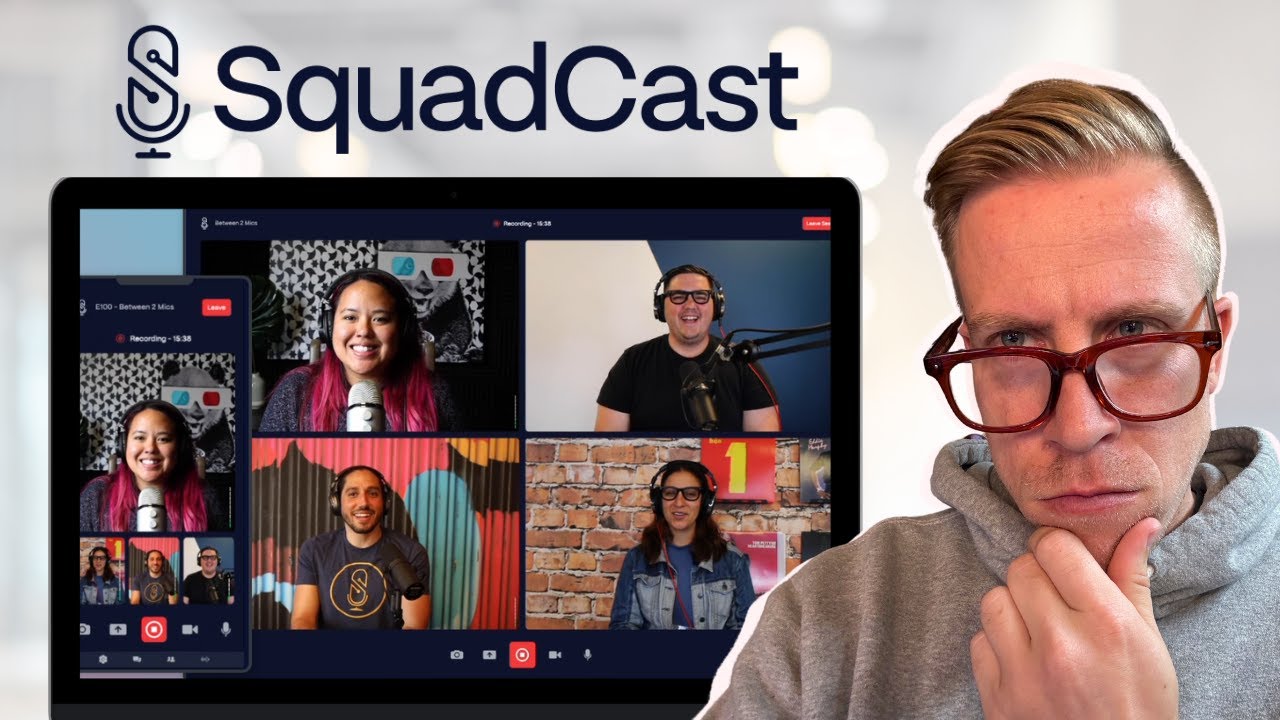
Squadcast is a remote recording studio that lets podcasters and video creators interview guests anywhere in the world and walk away with broadcast-quality, lossless WAV audio and 4K video — captured locally on each side and uploaded to the cloud. Now part of Descript, it pairs progressive uploads, automatic dropout protection and separate tracks per participant with one-click hand-off to the Descript editor for AI-powered post-production.

Lossless WAV Audio

Squadcast records uncompressed 48 kHz / 16-bit WAV audio locally on each guest machine, then uploads progressively — no Zoom-grade compression artifacts.

Separate Tracks Per Participant

Every speaker gets their own track on a separate channel, so a noisy guest or barking dog can be edited out without losing the host clean audio.

4K Video Recording

Capture up to 4K @ 30fps video on each side, with dynamic backgrounds, virtual cameras and Descript-powered video editing in post.

Progressive Cloud Uploads

Audio and video chunks upload to Squadcast cloud while the recording is live, so a mid-call internet hiccup never destroys the take.

Dropout and Reconnect Protection

If a guest disconnects mid-call Squadcast keeps recording locally, then resumes uploading the missing chunks once they reconnect — no manual recovery.

Built-In Live Streaming

Stream the same session simultaneously to YouTube, Facebook, Twitch or a custom RTMP endpoint — perfect for live podcasts and video shows.

Descript AI Editing Hand-Off

One click sends the multi-track session into Descript for AI transcription, edit-by-deleting-words, filler-word removal and Studio Sound — the modern podcast post stack in one platform.

Browser-Based Guest Experience

Guests join from a Chrome or Edge link with no software install — Squadcast handles permissions, headphone checks, and microphone QA automatically.

Squadcast Features – What You Get?

Squadcast is the remote recording layer of the Descript stack. Capture lossless audio and 4K video from up to 9 participants, hand off to Descript for AI editing and transcription, and publish without bouncing between five tools. The free Indie tier covers 2 hours/month for solo testing.

Squadcast Pros and Cons

Pros

  • Lossless local WAV audio with separate tracks per participant.
  • 4K video recording with progressive cloud uploads.
  • Dropout and reconnect protection for reliable sessions.
  • Built-in live streaming and a browser-based guest experience.
  • Seamless hand-off to Descript for AI editing.

Cons

  • The best features require paid plans; the free tier is limited on hours.
  • Now tied into the Descript ecosystem.
  • Occasional browser or connection quirks for guests.
  • Fewer built-in post-production tools than all-in-one editors.

Squadcast vs Riverside

Squadcast vs Riverside is a close remote-recording comparison. Riverside bundles local recording with strong built-in editing, transcription, and clip tools. Squadcast emphasizes pristine audio quality, reliability, and a smooth hand-off to Descript for editing. If you want all-in-one recording and editing, Riverside is compelling; if audio fidelity and the Descript workflow matter most, Squadcast is the better fit.

Squadcast Features What You Get

These four short walk-throughs show Squadcast in real podcast workflows — recording a remote interview in lossless WAV, simulcasting to YouTube, importing into Descript, and using the AI dropout protection feature.

SquadCast tutorial and review
SquadCast review pros and cons
SquadCast vs Zencastr comparison
SquadCast remote podcast recording

Top Squadcast Services

Squadcast is more than a Zoom replacement — it is the broadcast-grade remote studio that captures lossless audio and 4K video locally per guest, then hands the multi-track session straight into Descript for AI-powered editing and publishing.

Squadcast Price Plans

Squadcast pricing was unified with Descript in 2024 — recording is now bundled into Descript subscription tiers, with limits on cloud recording hours, transcription minutes and overdub voices. The Free Indie tier still covers occasional remote sessions for solo creators.

Free Plan $0/month

1 hour of recording per month, 1 hour of transcription, basic editor and watermarked exports — for evaluating Squadcast + Descript as a solo creator.

Hobbyist Plan $15/month

10 hours/month of recording, 10 hours of transcription, full editor, no watermark and unlimited exports — fits solo podcasters launching a new show.

Creator Plan $30/month

30 hours/month of recording, 30 hours of transcription, AI Effects, Studio Sound and Overdub — sweet spot for growing podcasters and video creators.

Business Plan $50/user/month

Unlimited recording, advanced AI features, custom branding, SSO and team workspaces — built for podcast networks and content agencies.

4.7 EASE OF USE
4.6 VALUE FOR MONEY
4.6 CUSTOMER SUPPORT
4.7 FUNCTIONALITY

Top Squadcast Alternatives

If you are weighing Squadcast against other remote-recording tools, the closest alternatives are Riverside.fm, Zencastr, StreamYard, Podcastle and Cleanfeed. Riverside is the closest direct competitor with similar lossless capture; Zencastr is the long-time browser-based option; StreamYard leans video-streaming; Podcastle has aggressive AI; Cleanfeed is the audio-only minimalist pick.


Podcastle Review

Podcastle Review

Editorial rating: 4.7 / 5
Explore More
Fusebox Review

Fusebox Review

Fusebox Review
Explore More
Castmagic Review

Castmagic Review

Editorial rating: 4.7 / 5
Explore More
Ausha Review

Ausha Review

Editorial rating: 4.6 / 5
Explore More
Anchor Review

Anchor Review

Editorial rating: 4.4 / 5
Explore More
Castos Review

Castos Review

Editorial rating: 4.7 / 5
Explore More
Acast Review

Acast Review

4.4
Explore More
Podbean Review

Podbean Review

4.8
Top Rated Features
  1. Smart Podcast Hosting
  2. Content Planning with Tools
  3. Distribution and Promotion
Explore More
Riverside Review

Riverside Review

4.8
Top Rated Features
  1. Smart Content Creation
  2. Advanced Recording & Editing
  3. Content Planning with AI
Explore More
Zencastr Review

Zencastr Review

4.0
Top Rated Features
  1. All in One Agency Platform
  2. CRM and Pipeline Management
  3. Built-In Funnel and Website Builder
Explore More
Captivate Review

Captivate Review

4.8
Top Rated Features
  1. Unlimited Podcasts and Episodes
  2. Customizable Podcast Players
  3. Monetization Tools
Explore More
Buzzsprout Review

Buzzsprout Review

4.7
Top Rated Features
  1. Podcast Directory Submissions
  2. Podcast Monetization Tools
  3. Website Integration With Embed Player
Explore More
FAQs

Frequently Asked Questions

Below are the most common questions about Squadcast, covering pricing, features, alternatives, and whether it is the right fit for your team.

Squadcast is a remote podcast and video recording studio that captures lossless WAV audio and 4K video locally on each participant machine, then progressively uploads the files to the cloud — guaranteeing studio-quality recordings even on flaky internet.

Yes. Squadcast continues to operate as the remote-recording layer of the Descript platform. Subscriptions were unified into Descript pricing tiers, so a single subscription covers recording on Squadcast and editing in Descript.

Yes. The Free plan includes 1 hour of cloud recording per month, 1 hour of transcription, the basic editor and watermarked exports — enough to evaluate the workflow on a solo project before paying.

Hobbyist is $15/month, Creator is $30/month, and Business is $50/user/month — billed annually, with monthly billing roughly 25% higher. Recording, editing and AI features are unified across these Descript-bundled tiers.

Yes. Squadcast captures 48 kHz / 16-bit uncompressed WAV per participant, recorded locally and uploaded progressively. Compared with Zoom or Google Meet, you get separate clean tracks instead of a single compressed mixdown.

Squadcast captures up to 4K @ 30fps video per participant and supports simulcast streaming to YouTube, Facebook, Twitch and custom RTMP endpoints — making it usable for live podcasts and recorded video shows.

Riverside is the closest direct competitor with similar lossless capture; Zencastr is the longer-running browser-based option; Squadcast tends to win on dropout protection, multi-participant scaling and the integrated Descript editor for post-production.

For podcasters and video creators who care about broadcast-grade audio, separate tracks and AI-powered post-production, Squadcast + Descript at $15–$50/month is one of the highest-value workflows in the space — reflected by its G2 reviews.

⚠️ Affiliate Disclosure: This site contains affiliate links. We may earn a commission when you purchase through our links at no extra cost to you. Results are not typical.